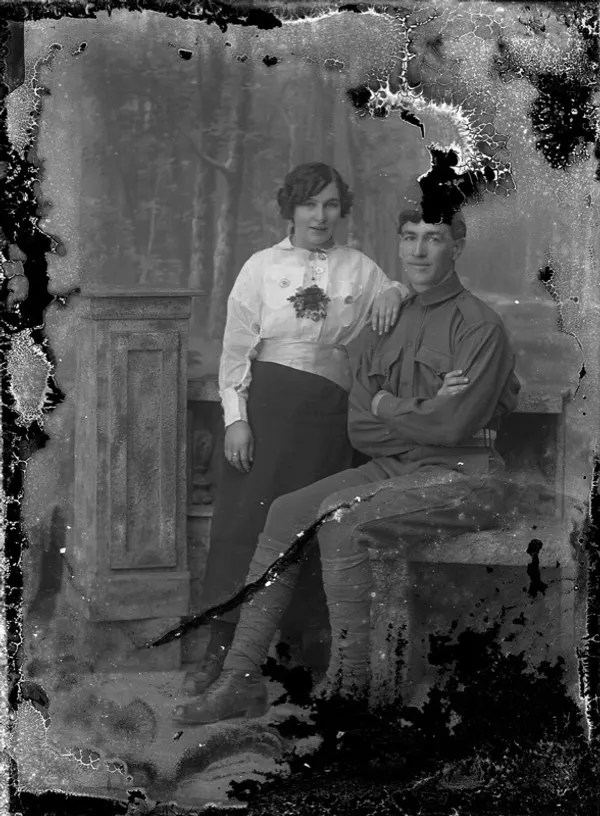
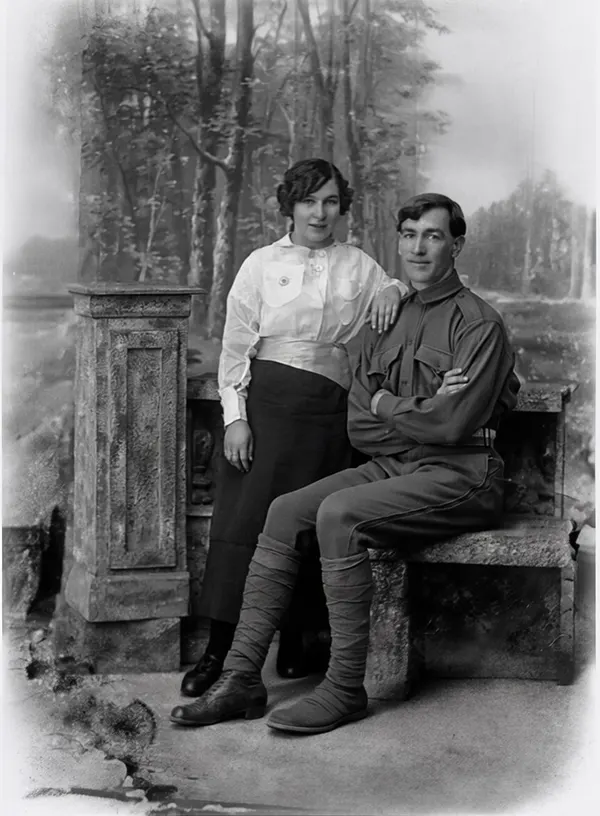
Last updated · Written and tested by The PhotoRestorationFree team, who build and maintain this tool.
Photo restoration used to mean posting a print to a retoucher and paying $25 to $150 per photo. Today AI can do most of that work in seconds. This free tool repairs the damage that time does to prints (scratches, cracks, dust, stains, fading and soft faces) and gives you a restored preview you can download straight away. When a photo matters, the HD version gives you the full-size, face-enhanced file for $2.99, once.
How to restore old photos in 4 steps
- Digitize the print. Scan it at 600 DPI if you can. With a phone, lay the photo flat by a window (no direct sun), hold the phone straight above it and turn the flash off. Our scanning guide has a DPI table for every print size.
- Upload it above. JPG, PNG or WebP, up to 15 MB. Your browser shrinks it and strips location data before anything is sent.
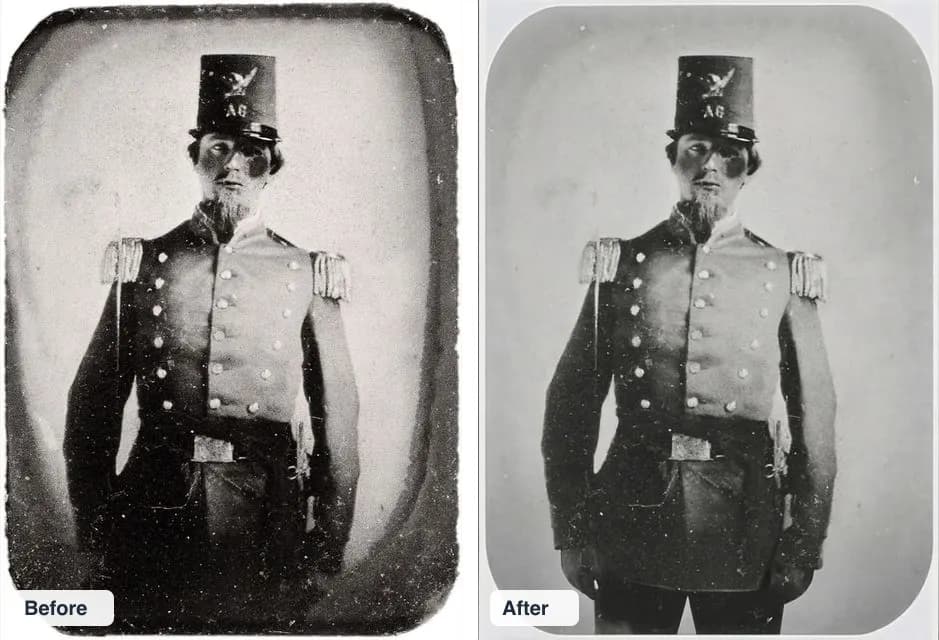
- Compare before and after. Drag the slider across faces, edges and any area that was badly damaged. AI fills missing areas with a best guess, so check that it makes sense.
- Download. Save the free 800 px preview, or get the HD photo: about four times the pixels, faces enhanced, no watermark, and optional colorization.
What AI photo restoration can fix (and what it can't)
| Problem | Result | Tip |
|---|---|---|
| Scratches, dust, spots | Excellent | Clean the print gently with a soft brush before scanning. |
| Creases and fold lines | Very good | Scan the print flat under a book-weighted glass if it curls. |
| Fading and yellowing | Very good | Scan in color even for black-and-white prints; it captures more tone. |
| Water stains, mould spots | Good | Heavy staining over faces may need a second try. |
| Torn or missing corners | Good (rebuilt) | The AI invents plausible background, not the original detail. |
| Blurry or tiny faces | Good in HD | Face enhancement is part of the HD download. |
| Faces almost entirely missing | Poor | A human retoucher with other photos of the person is the better choice. |
Why faces matter most in photo restoration
Many "restore old photos" apps use image generators that redraw the whole picture. The result is sharp, but grandma can come back looking like a stranger. Before building this site we ran the same damaged photos through several AI models. One of the popular ones turned a 19th-century portrait into a modern-looking actor. We chose models that repair damage while keeping the person's features, expression and pose, and we add face enhancement only in the HD step, where it sharpens what is there instead of replacing it.
Restore old photos free vs paid: what you get
| Option | Price | Good to know |
|---|---|---|
| This tool, free preview | $0, 3 a day | 800 px with a small watermark, no signup |
| This tool, HD photo | $2.99 once | Full size, faces enhanced, colorize option, no subscription |
| This tool, Unlimited | $9.99/month | Up to 100 HD photos a month, cancel any time |
| Remini | $6.99 to $9.99 a week | Weekly billing adds up to hundreds a year |
| MyHeritage Photo Repair | $149 first year (Complete) | A few free photos, then a genealogy subscription |
| VanceAI | From $15/month | Credit-based; free results are watermarked |
| Let's Enhance | From $9/month (yearly) | Credit-based upscaler; account required |
| Human retoucher | $25 to $150+ per photo | Best for severe damage; 1 to 3 days |
Competitor prices checked on their websites in October 2026 and may change.
Common mistakes when you fix old photos
- Scanning too small. A 4x6 print scanned at 150 DPI has too little detail for any restorer. Use 600 DPI.
- Glare from phone photos. Shiny prints reflect light. Shoot at a slight angle away from windows, then straighten the photo.
- Over-restoring. A little grain is part of an old photo. If the result looks plastic, use the free preview size or skip colorization.
- Throwing away the original. Keep the print and the unedited scan. Better tools will keep arriving.
- Trusting rebuilt areas blindly. When a corner or background is missing, the AI invents it. Don't use invented details as historical evidence.
Colorize and restore old photos together
Black-and-white photos can be colorized in the same HD download: tick Colorize and the AI adds natural skin tones, fabrics and skies after the damage is repaired. Repairing first and colorizing second gives cleaner colors than the other way round. See colorize old photos for examples and tips, or fix old photos for badly damaged prints.
Photo restoration FAQ
Can I restore old photos for free?
Yes. Upload a photo and you get a restored preview free, with no signup: up to 3 photos a day, downloadable at 800 px with a small watermark. If you want the full-size, face-enhanced version without a watermark, it is $2.99 for that one photo, or $9.99 a month for a whole box of photos.
How does AI photo restoration work?
The AI model has learned what undamaged photos look like from millions of examples. It finds scratches, cracks, dust, stains and faded areas, then fills them with detail that matches the surrounding image. For HD, a second model rebuilds facial detail (eyes, hair, skin texture) and doubles the resolution.
Will the restored photo still look like my relative?
That is our priority. We tested several AI models and rejected the ones that repaint faces into a different-looking person. Our pipeline keeps the face shape, expression and features of the original and only removes damage. Always compare with the slider; if a detail looks wrong, the original is still yours.
Do you keep my photos?
No. Your photo is resized in your browser, sent to our server, restored in memory by our AI provider and deleted as soon as your preview comes back. We don't save the original or the result. The only copy is the one in your browser.
What damage can it fix?
Scratches, dust and spots, creases and fold lines, small tears, water stains, fading, yellowing, low contrast, film grain and soft or blurry faces. Large missing pieces are rebuilt from context, so check them carefully: the AI makes a plausible guess, not a record of what was there.
Can it colorize black-and-white photos?
Yes. Tick Colorize before you download in HD and the AI adds natural, period-appropriate color while keeping every person and object the same. The colors are an informed guess, so they won't match the real clothing or eye color every time.
What's the best way to scan an old photo for restoration?
Scan at 600 DPI for normal prints (300 DPI is enough for large prints) and save as JPG or PNG. No scanner? Photograph the print flat, in soft daylight, with the phone directly above it so there is no glare. See our scanning guide for a DPI table by print size.
Is $2.99 a one-time payment?
Yes. One HD Photo is a single payment for one photo, with no subscription and no account. The Unlimited plan is $9.99 a month and you can cancel any time from the billing portal.
Can I use the restored photos commercially?
You can use restored photos for anything you have the right to use the original for: family albums, memorials, gifts, books and prints. If you didn't take the original photo, the copyright may belong to someone else (often the photographer or their estate).